


Contact Us

Accessible Web Design That Works for Everyone

Build websites following WCAG standards. Create inclusive digital experiences for all users across Canada and beyond.

Modern accessible web design interface with clear navigation and high contrast text elements

Why Accessibility Matters

Inclusive design isn’t just a nice-to-have — it’s a responsibility we take seriously.

We’ve been helping Canadian businesses create accessible websites since 2018. It’s more than just following guidelines — it’s about making sure everyone can use what you’ve built, regardless of their abilities.

We’re certified WCAG specialists. Our team stays current with accessibility standards so you don’t have to. Whether you’re starting fresh or improving an existing site, we know exactly what needs to happen to meet AA compliance (or AAA if you’re ambitious).

The reality? Accessible sites work better for everyone. Faster load times. Better mobile experience. Improved SEO. And you reach more users. It’s a win across the board.

Team member reviewing accessible website design on desktop monitor with accessibility checking tools visible

What We Cover

Complete accessibility audits and implementations across all WCAG guidelines.

WCAG Compliance

We don’t just check boxes. We ensure your site meets Level AA standards (or AAA) with real testing and verification. Keyboard navigation, screen reader compatibility, color contrast — we handle it all.

Keyboard Navigation

Not everyone uses a mouse. We make sure every feature on your site is accessible via keyboard alone. Tab order, focus indicators, skip links — all properly implemented.

Screen Reader Ready

Your content needs to make sense when read aloud. We optimize heading structure, add proper alt text, and ensure semantic HTML so screen readers can navigate your site naturally.

Mobile & Touch

Accessibility on mobile is different. Larger touch targets, proper spacing, orientation support — we test on real devices to make sure mobile users get the same experience.

Color & Contrast

4.5:1 contrast ratio isn’t negotiable. We audit every color combination and redesign where needed. People with low vision or color blindness will be able to read everything.

Ongoing Support

Accessibility isn’t a one-time project. We provide training, regular audits, and support as you add new content or features. Keep your site compliant long-term.

How We Make Sites Accessible

A straightforward approach from audit to implementation.

01

Audit & Assessment

We start by testing your current site thoroughly. Automated tools catch obvious issues, but we also do manual testing with real screen readers and keyboard-only navigation. You’ll get a detailed report showing exactly what needs work.

02

Planning & Strategy

Not every fix is the same. We create a prioritized plan based on impact and effort. Quick wins first, then the bigger structural changes. We’ll discuss budget, timeline, and what Level of WCAG compliance makes sense for your business.

03

Implementation

Our developers fix the code. Better semantic HTML, ARIA labels where needed, proper heading structure. We’re not just adding accessibility — we’re building it in the right way so it’s maintainable.

04

Testing & Verification

Manual testing with screen readers (NVDA, JAWS), keyboard-only navigation, color contrast verification, mobile testing. We don’t declare victory until real accessibility tools confirm it works.

05

Team Training

Your team needs to know how to maintain accessibility. We provide training on how to write accessible content, test new features, and avoid common mistakes as your site evolves.

Accessible Web Design Following WCAG Standards

Learn the fundamentals of creating inclusive digital experiences.

Computer screen showing keyboard navigation indicators and focus management elements in web interface

WCAG 2.1 Levels Explained: A-AA-AAA

What’s the difference between A, AA, and AAA compliance? We break down each level and help you pick the right target for your website.

Read Guide

Person using screen reader software on laptop with headphones, demonstrating assistive technology usage

Screen Readers and Assistive Technology

Understand how people with visual impairments navigate the web. We’ve got tips for testing your site with common screen readers.

Read Guide
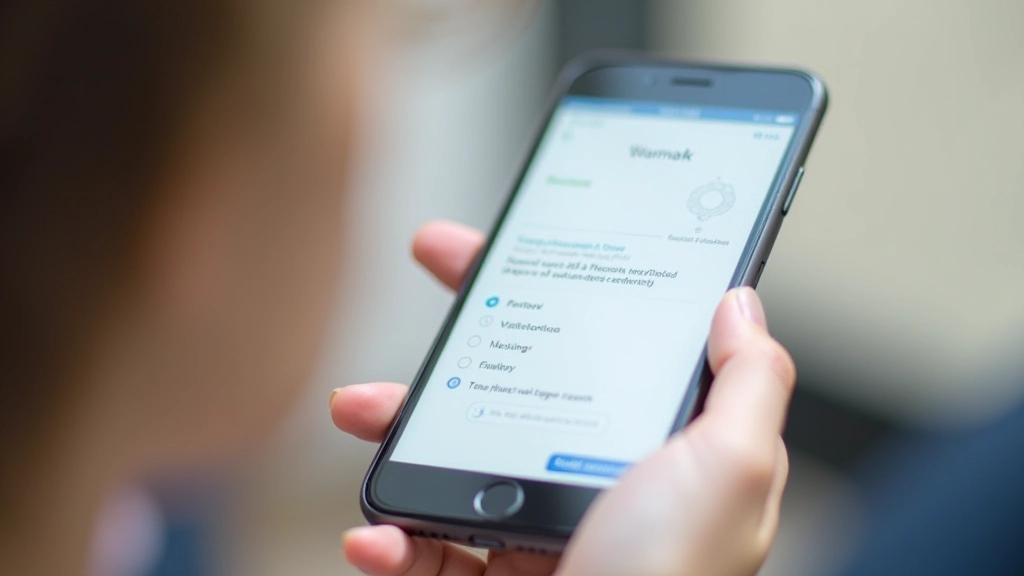
Mobile phone showing accessible mobile app interface with large text and clear navigation buttons

Mobile Accessibility: Touch and Navigation

Mobile devices need different accessibility approaches. Learn about touch targets, orientation, and making your mobile site work for everyone.

Read Guide

Why This Matters

The numbers tell a clear story about accessibility and inclusion.

1 in 4
Canadians have a disability

That’s over 6 million people who need accessible digital experiences to participate fully online.

82%
Leave inaccessible sites

Users with disabilities abandon websites that don’t work with their tools. You’re losing potential customers, clients, or community members.

71%
Say accessibility is important

Even people without disabilities prefer accessible sites. Better navigation, clearer content, faster load times — it benefits everyone.

100%
Legal requirement in Canada

AODA (Ontario), ATIA (Alberta), and similar laws require digital accessibility. It’s not optional — it’s the law.

Common Questions About Accessibility

What’s the difference between WCAG 2.0 and WCAG 2.1?

WCAG 2.1 added 17 new criteria, mostly focused on mobile accessibility, low vision, and motor impairments. It’s an improvement, and we recommend targeting 2.1 for new projects. Existing WCAG 2.0 compliance still counts, but 2.1 is the current standard.

Do I need to hire someone to make my site accessible?

You can learn accessibility basics yourself — it’s not magic. But a comprehensive audit and proper implementation? That’s where expertise matters. We’ve seen DIY attempts that create false compliance. It’s worth getting it right the first time.

Will accessibility make my site look ugly?

Nope. Good design and accessible design aren’t mutually exclusive — they’re the same thing. High contrast, clear navigation, readable fonts, logical structure — these make sites better for everyone, not just people with disabilities.

How long does an accessibility project take?

Depends on your site’s size and current state. A small site might take 4-6 weeks. A large e-commerce platform could take several months. We’ll give you a realistic timeline after the initial audit.

What’s the cost?

We don’t have one-size-fits-all pricing. Cost depends on scope, your site’s current accessibility level, and what compliance level you’re targeting. Let’s talk about your specific situation.

Is accessibility just for government and large organizations?

Legally? It depends on your jurisdiction and whether you’re in the public or private sector. Ethically and practically? Every website should be accessible. More users, better SEO, legal compliance, and it’s just the right thing to do.

More Than Just Compliance

Accessibility improvements benefit your entire business.

Reach More Users

You’re excluding millions of people right now if your site isn’t accessible. That’s lost revenue, lost customers, lost community engagement. Accessibility opens doors.

Better SEO

Search engines love accessible sites. Proper semantic HTML, clear headings, descriptive alt text — these help Google understand your content better. You’ll rank higher for relevant searches.

Mobile-Friendly Design

Accessibility and mobile optimization go hand in hand. Keyboard navigation, touch-friendly targets, clear focus indicators — these make mobile experiences better for everyone.

Legal Protection

Accessibility lawsuits are increasing. In Canada, AODA, ATIA, and other laws require digital accessibility. Being compliant protects you legally and ethically.

Better for Everyone

An elderly person using a smaller screen. Someone in bright sunlight needing better contrast. A parent holding a baby with one hand. Accessibility features help all these situations.

Cleaner Code

Accessible code is clean code. Semantic HTML, proper structure, no JavaScript-dependent navigation. Your site loads faster, maintains easier, and scales better.

Ready to Build an Accessible Website?

Let’s talk about your project. We’ll assess where you are now and create a plan to get you to WCAG compliance. No jargon, just straightforward guidance.

Get in Touch